Parrot Assistant Android App ๐Ÿฆœ

Consolidate your daily actions into one interface: faster input, faster scanning, fewer missed messages.

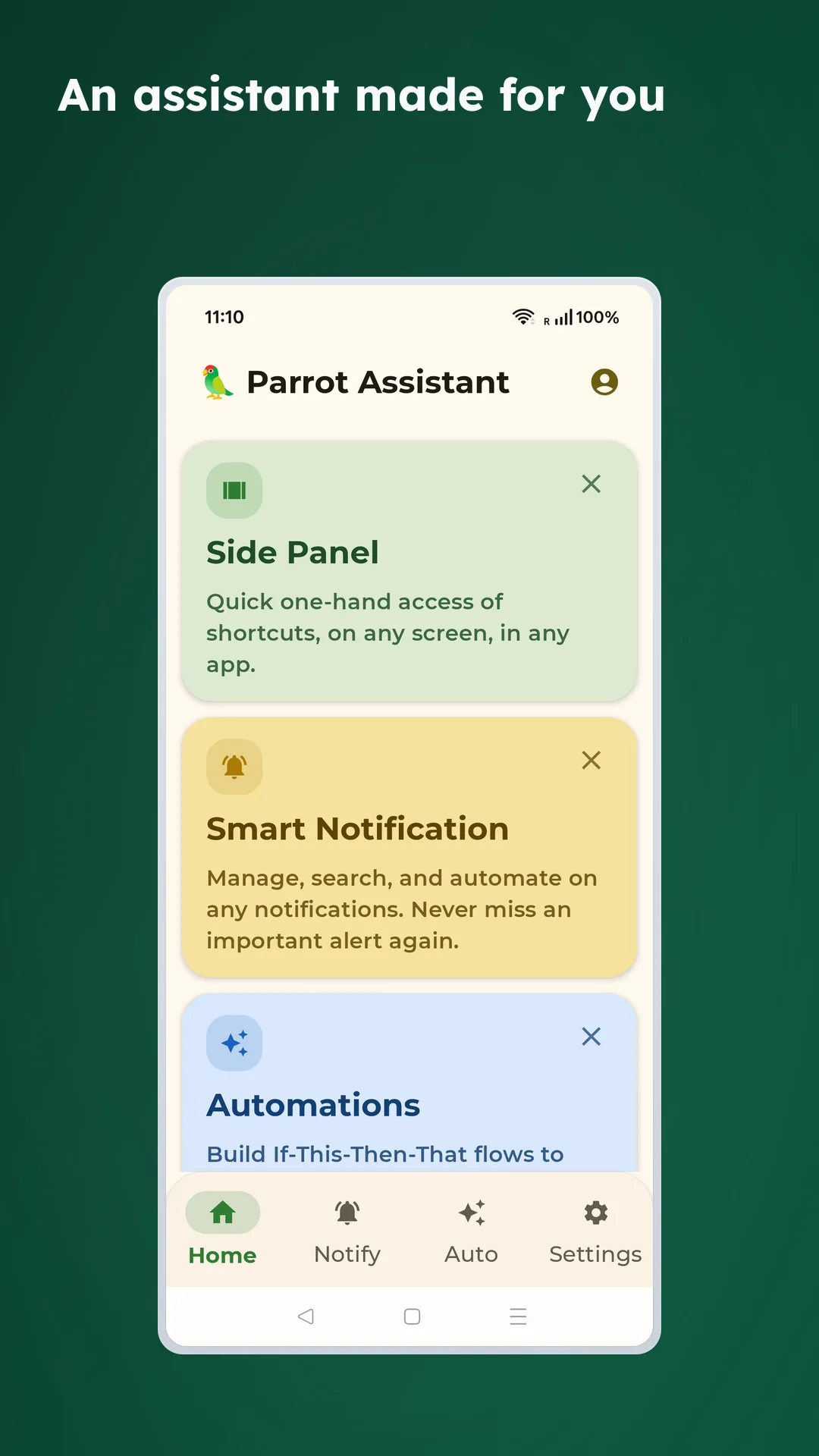
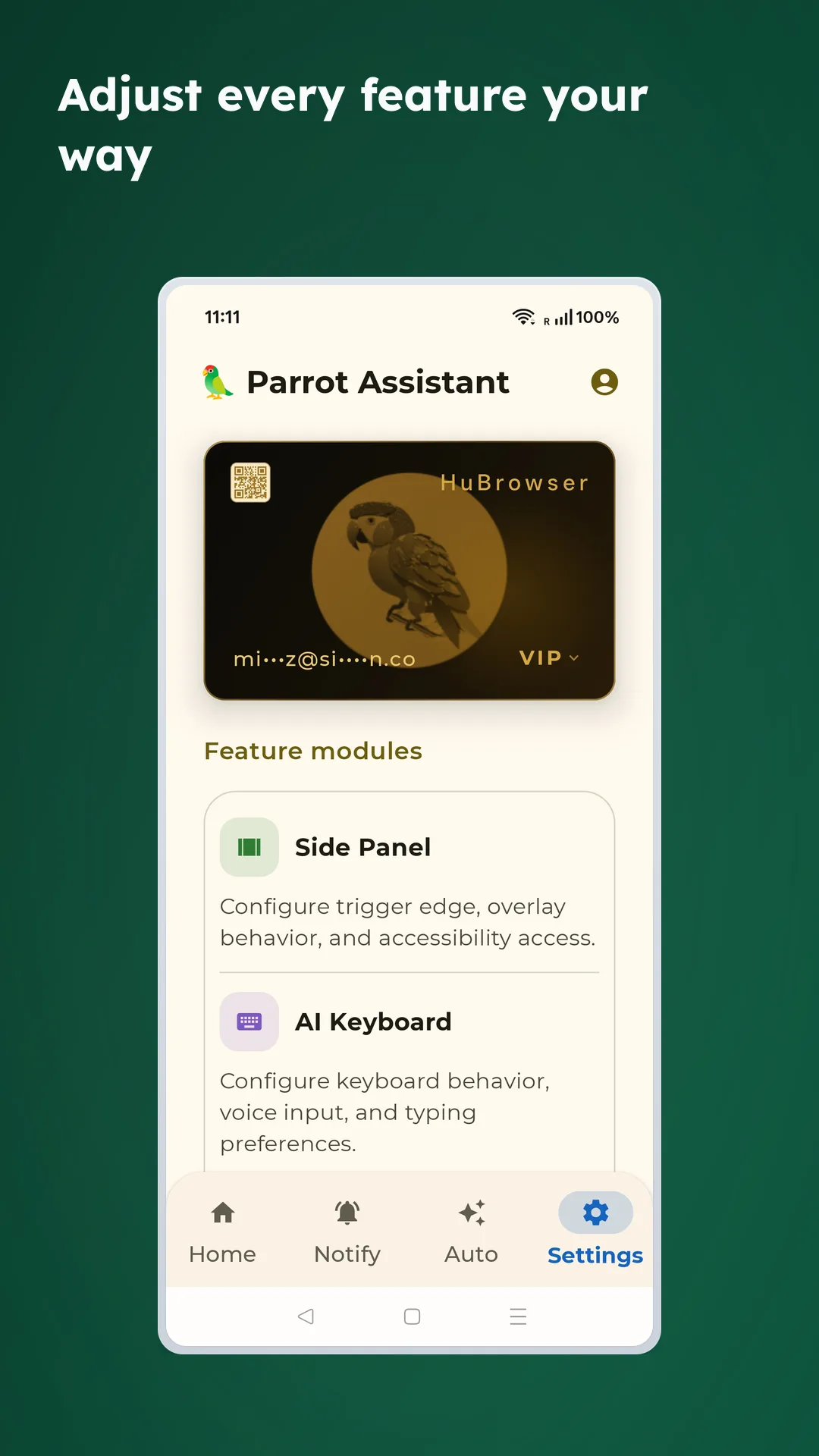
Parrot Assistant supercharges your Android phone through side panel shortcuts, smart notifications, automation, voice commands, and an AI voice keyboardโ€”enabling you to complete frequent tasks in one gesture. Perfect for large-screen phones and single-hand operation.

Core Features
  1. Side Panel Shortcuts - Swipe from screen edge for a 3x3 panel: camera, barcode scanning, media controls, touch cursor, one gesture away
  2. Smart Notifications - Make important messages easier to spot with keyword search and intelligent grouping
  3. Automation - Execute tasks based on notifications, time, volume, Bluetooth, and moreโ€”reduce repetitive actions
  4. Voice Commands - Launch apps, select text, and generate replies with your voice across any app
  5. AI Voice Keyboard - Dictate text in any app with high accuracy, smart editing, and fast corrections

Voice features require HuBrowser Membership.

Download on Google Play

Demo Videos

These demos show Parrot Assistant creating Google Calendar events, searching for places in Google Maps, and generating AI replies in chat apps.

โœจ Core Advantages

  • ๐ŸŽฏ Complete frequent tasks in one gesture: payment codes, shipping updates, chat replies all move faster
  • ๐Ÿ“ฑ One-hand friendly: Works great on large phones and tablets
  • ๐Ÿ”” Never miss important messages: Searchable, groupable, reviewable notifications
  • ๐Ÿ”’ Privacy-first design: Only records when you tap the mic, no unnecessary data collection

Home screen showing Parrot Assistant

๐ŸŽฏ Side panel shortcuts

๐Ÿ’Ž Membership & Credits

Voice transcription is powered by HuBrowser Membership credits. Unregistered users get a daily free allowance:

  • Unregistered: Limited free transcriptions per day
  • Members: 20 transcriptions per day, refresh every 24 hours, plus 24-hour history

๐Ÿ” Privacy Promise

Parrot Assistant is built on privacy-first principles:

  • No collection or sale of personal data
  • Recording only starts when you actively tap the microphone
  • All permissions are opt-in on first use; features automatically stop when disabled
  • Details in each feature's permission section

๐Ÿ“‹ Quick Navigation

SectionWhat it does
๐ŸŽฏ Side Panel Shortcuts3x3 quick panel, touch cursor, media controls, fast scanning
๐Ÿ”” Smart NotificationsKeyword search, intelligent grouping, history review, never miss alerts
โš™๏ธ AutomationNotification, time, volume, Bluetooth, network event automations
๐Ÿ—ฃ๏ธ Voice CommandsOpen apps, select text, cross-app quick actions
๐ŸŽค AI Voice KeyboardVoice input, gesture typing, smart corrections, fast editing

๐ŸŽ‰ Getting Started

Parrot Assistant consolidates your frequent actions into one place, making your phone more efficient and enjoyable to use.

Start with these two essential features:

  1. Side Panel Shortcuts - The core feature; swipe from edge and you're ready to go
  2. AI Voice Keyboard - Fast voice input in any app

Ready to upgrade your Android experience? Download now on Google Play ๐Ÿš€

  • Real-time transcription: See your words appear as you speak

Voice input in action

Smart input features

๐ŸŽค Voice input

  • Tap the microphone button in the top-right corner of the keyboard to start recording
  • Speak clearly what you want to type
  • Text automatically appears in the input field
  • Real-time volume indicator shows recording status
  • Supports long text recording with automatic upload for transcription

Voice Input States:

  • ๐ŸŽ™๏ธ Listening - Recording in progress, shows volume waveform
  • โš™๏ธ Processing - Uploading and transcribing audio
  • โœ… Complete - Successfully finished
  • โŒ Error - Failed with error message

โŒจ๏ธ Cursor control

Built-in smart cursor navigation for easy text editing:

  • Arrow keys: Precisely move cursor up, down, left, right
  • Word jumping: Quickly move between words
  • Line start/end: Jump to beginning or end of line with one tap
  • Text selection: Select text with Shift key

๐Ÿงน Smart delete

  • Backspace key: Delete single characters
  • Swipe to delete words: Swipe left on the backspace key to delete entire words instead of single characters
  • Clear button: One-tap to clear all text in the current input field

๐Ÿ˜Š Emoji keyboard

  • Quick access to commonly used emojis
  • Browse by category, easily find the emoji you need
  • Recent usage history, frequently used emojis one tap away

๐Ÿ”ข Special character quick input

  • Long press number keys: Quickly input corresponding special characters
    • Long press 1 โ†’ !
    • Long press 2 โ†’ @
    • Long press 3 โ†’ #
    • Long press 4 โ†’ $
    • Long press 5 โ†’ %
    • Long press 6 โ†’ ^
    • Long press 7 โ†’ &
    • Long press 8 โ†’ *
    • Long press 9 โ†’ (
    • Long press 0 โ†’ )
  • No need to switch to symbol keyboard, improves input efficiency

Real-time typing speed and quota display

  • Exclusive for HuBrowser members
  • View 24-hour voice record locally

How to enable

  1. Settings โ†’ Languages & Input โ†’ Virtual Keyboard
  2. Select Parrot Keyboard
  3. Use it like any other keyboard

Keyboard settings configuration

Required Permission: Microphone (for voice recognition only)

Voice input setup guide

๐Ÿ’ก Usage tips

  1. Clear pronunciation: Works best in quiet environments
  2. Natural speech: Speak normally, no need to pause deliberately
  3. Punctuation: Automatically added, or say "comma", "period", etc.
  4. Long texts: Supports long recording, auto-stops and uploads
  5. Quick word deletion: Swipe left on backspace to quickly delete entire words
  6. Special characters: Long press number keys for quick symbol input, no need to switch keyboards

๐Ÿค– Made for android

Parrot Assistant is built from the ground up specifically for Android, utilizing native Android features and APIs to deliver the best possible experience.

โš™๏ธ Permissions required

Initial Setup:

  • The app will guide you through enabling the necessary permissions

Permission Explanation:

  • Accessibility Service ๐Ÿ” - Side Panel swipe detection and global shortcuts (only activates when swiping from edge inward)
  • Microphone ๐ŸŽค - AI Voice Keyboard speech recognition (only when actively using voice input)
  • Camera ๐Ÿ“ท - QR/barcode scanning (only when explicitly opening the scanner)

๐ŸŽจ Interface & experience

Parrot Assistant adopts Material Design 3 language, providing a refined and smooth user experience:

Visual feedback

  • ๐ŸŒˆ Gradient buttons, beautiful and recognizable
  • ๐Ÿ’ซ Button zoom animation on hover
  • ๐Ÿ” Real-time icon preview of currently hovered button in top-left corner
  • ๐ŸŒ™ Dark mode support

Smart optimization

  • โšก Doesn't block other operations, smooth usage
  • ๐ŸŽฏ Fast response, instant use
  • ๐Ÿ”„ Smart background updates
  • ๐Ÿ›ก๏ธ Automatically filters interference elements

๐Ÿ” Privacy & security

Your privacy is our top priority. Parrot Assistant is designed with privacy-first principles:

  • Zero tracking: No analytics, no telemetry, no user profiling
  • No data collection: We don't collect any personal information
  • Minimal permissions: Only essential permissions for core features
  • Offline capable: Most features work without internet connection
  • Open about permissions: Clear explanation of why each permission is needed

๐ŸŽ‰ Summary

Parrot Assistant perfectly combines powerful AI voice recognition, convenient side panel, and practical scanning features to provide a comprehensive intelligent assistant experience for your Android device!

Core Advantages:

  • โšก Fast: Edge swipe, instant access
  • ๐ŸŽฏ Precise: AI-powered, accurate recognition
  • ๐ŸŽจ Beautiful: Material Design, visually pleasing
  • ๐Ÿ”ง Powerful: Multi-feature integration, all-in-one
  • ๐Ÿ”‹ Battery-friendly: Optimized for low power consumption

Start using now to make your phone smarter! ๐Ÿš€

Coming soon ๐Ÿš€

  • More Side Panel shortcuts and customization
  • Additional voice keyboard languages
  • Custom vibration patterns
  • User-defined quick actions