
💬 ChatAnywhere: private chat on any website
ChatAnywhere lets HuBrowser users open a lightweight chat room on the page they are already visiting, so people can talk around a shared link without creating an account or relying on a central chat server.
Access this feature through the icon
- Chat with anyone on any site!
- Add private chat room functionality to any website, enabling real-time messaging anytime, anywhere. 🌐
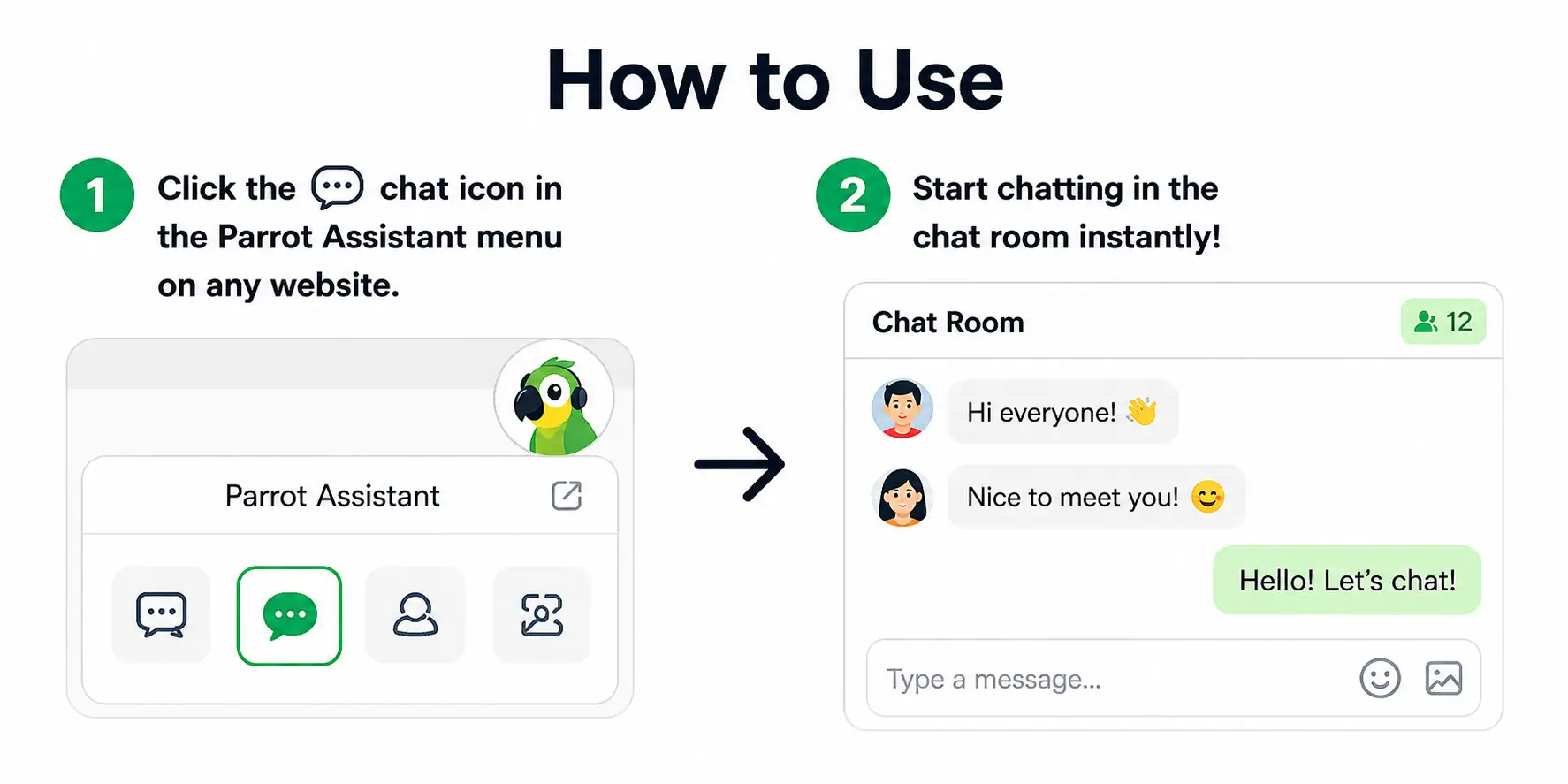
- Click the 💬 chat icon in the parrot assistant menu to turn the current site into a chat room!
🛡️ Anonymous · Decentralized · Serverless · Private
Why it's different: no server required
Most chat apps route your messages through a central server — which means your data can be monitored, stored, or censored.
For thousands of years, people communicated privately through letters and other means. Over the last 30 years, that shifted to services that are constantly monitored. Whether it's Telegram, Signal, or email — as long as there's a server, there's always a tendency to monitor and control. HuBrowser aims to change all that!
How to use
- Click the 💬 chat icon in the Parrot Assistant menu on any website
- Start chatting in the chat room instantly!
Features
- Send text, emojis, and images
- Send danmaku across the screen
- Real-time user count indicator
- Anyone can join the chat but won't see messages sent before they joined
- Lightweight, only runs when you press the chat button
Example scenarios
- Watch a video together: Chat with family, friends, or even strangers while watching a video on your favorite streaming site. 🎥
- Collaborate on documents: Discuss and collaborate on documents in real-time with colleagues. 📄
- Shop together: Share opinions and get instant feedback while shopping online with friends. 🛍️
- Discuss articles: Engage in conversations about articles or blog posts with other readers, even when there's no comment section or the comment section is closed or censored. 📰
Other browsers
- For other browsers, you can install the WebChat extension from Chrome Web Store and chat with clients using HuBrowser.
- This feature is adapted from the original code at https://github.com/molvqingtai/WebChat 👍 to make it work on mobile.
🔗 Related: For browser-based text remixing and password-encrypted messages, see Deep Talk.