
⌨️ AI Voice Keyboard
If you write a lot on your phone, fix long messages, or like dictating and then cleaning things up, this keyboard feels much better than the default one.
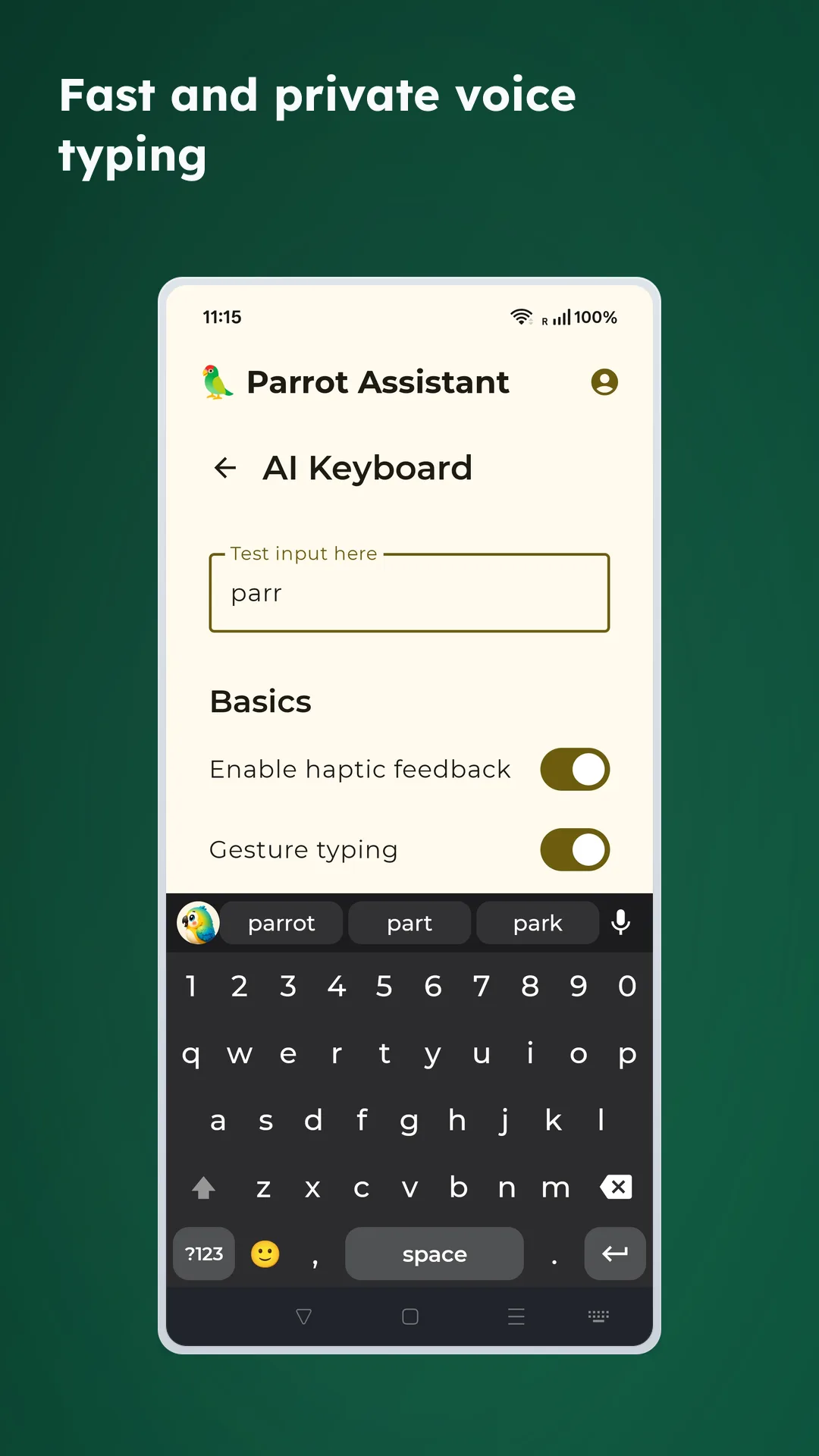
✨ What makes it better than a normal keyboard
- Works in normal Android text fields: Use it as your daily keyboard, not just for a single app
- Voice input: Record, transcribe, and insert text directly into the current editor
- Cursor tools: Move by character, word, or line without leaving the keyboard
- Faster deletion: Delete characters normally or swipe to remove full words
- Gesture typing: Slide across letters when that is faster than tapping
- Emoji and symbol shortcuts: Keep common characters and reactions close at hand
🎙️ The most useful part is voice input
- Tap the microphone icon in the top-right corner to start recording
- Speak naturally and the keyboard inserts the final transcript automatically
- Recording only starts when you actively tap the microphone
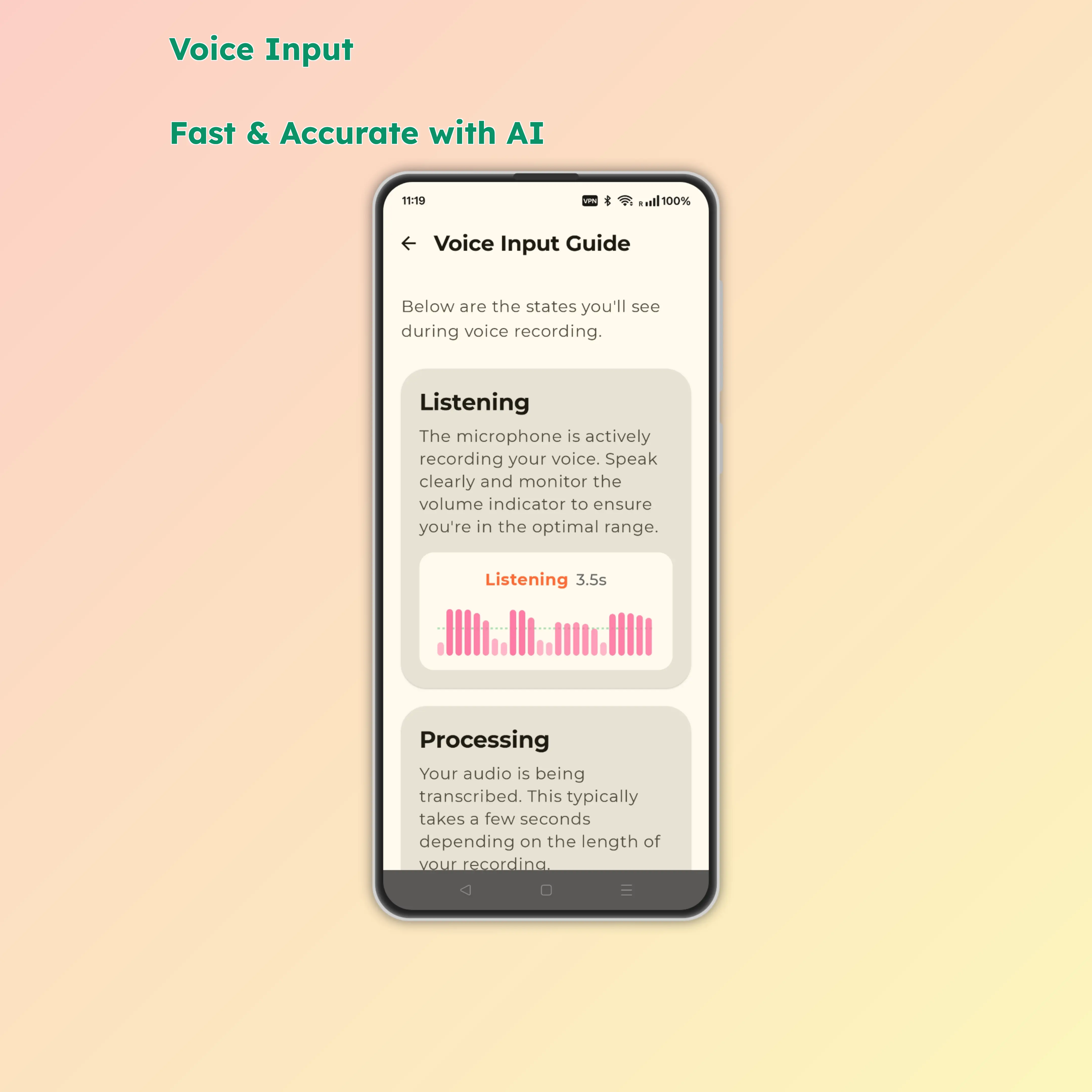
📶 Voice input states
- Listening: Recording in progress, shows audio waveform
- Processing: Uploading and transcribing your audio
- Inserting: Writing results into the focused text field
- Complete: Text successfully inserted
- Error: Transcription failed and an error message appears
⏱️ Recording and submission
- Single recordings auto-submit after roughly 20 seconds
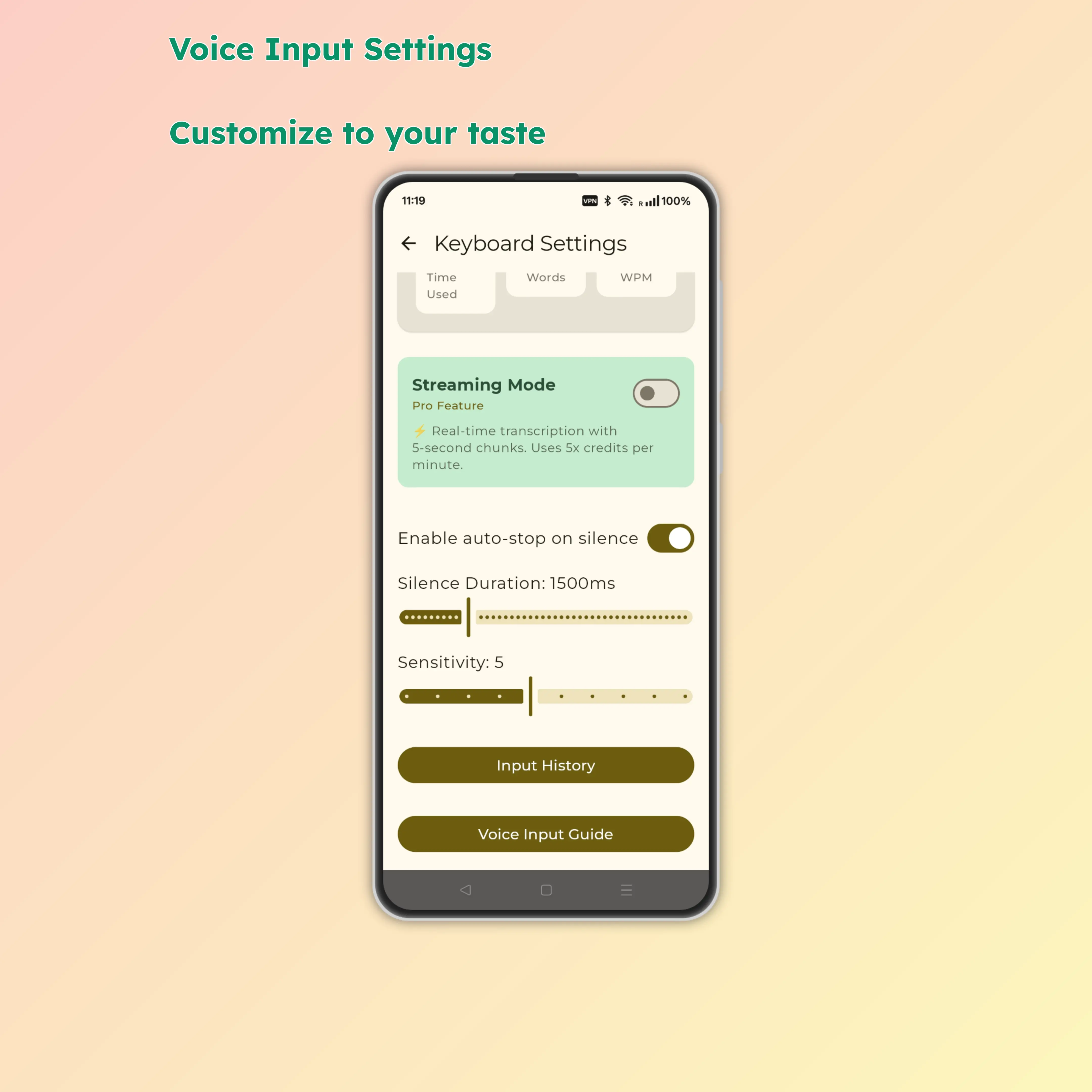
- Longer pauses can auto-end the recording, and you can adjust that in settings
- Tap the Done button to submit early
✍️ It is also great for editing
↔️ Cursor control
- Arrow keys: Precise character-by-character movement
- Word jump: Quickly move between words
- Line start/end: Jump to beginning or end of line
- Shift + arrows: Select text while moving
🧹 Smart deletion
- Backspace: Delete one character
- Swipe left on backspace: Delete entire word
- Clear button: Wipe the entire input field
🔣 Quick symbol input
Long-press number keys for common symbols:
- 1 → !
- 2 → @
- 3 → #
- 4 → $
- 5 → %
- 6 → ^
- 7 → &
- 8 → *
- 9 → (
- 0 → )
😄 Emoji keyboard
- Browse emojis by category
- Recent emojis save for quick reuse
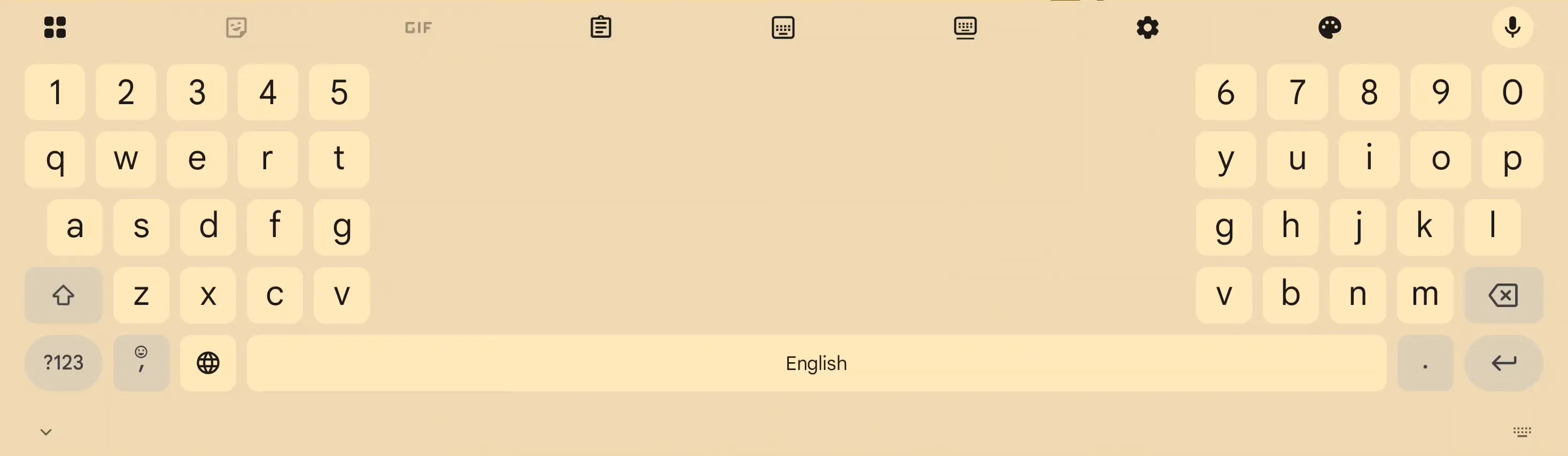
📱 It gets even better on bigger screens
The keyboard is not limited to one layout. On large phones and tablets, split layouts are especially helpful because they keep the keys closer to both thumbs.
🎫 Voice quota
- Unregistered users: Limited free transcriptions per day
- HuBrowser members: 20 transcriptions per day
- Each voice input costs 1 point
- Remaining quota, refresh timing, and recent voice history are visible in settings
🚀 How to turn it on
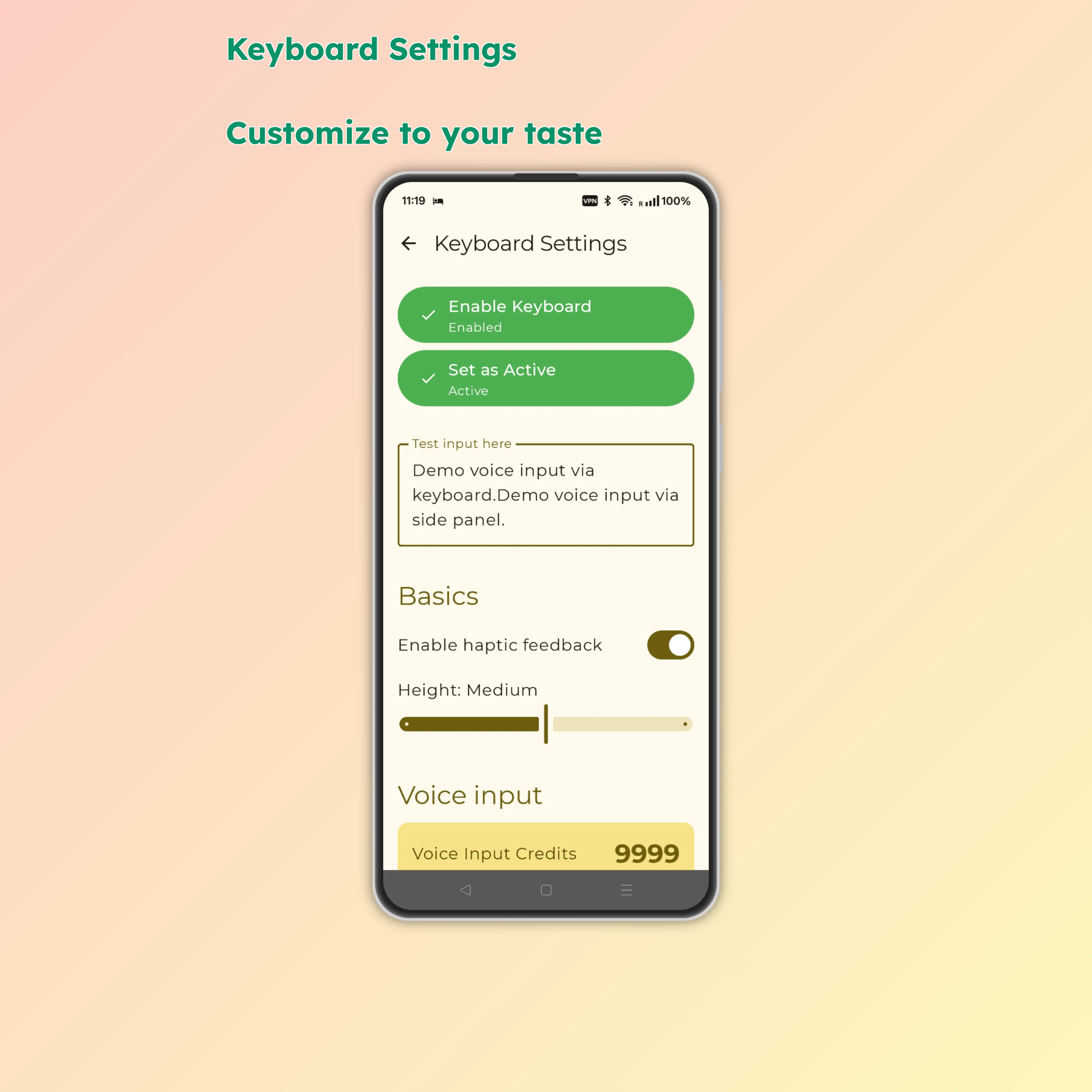
- Open system Settings → Language & Input
- Enable Parrot Keyboard
- Switch to Parrot Keyboard in any text field
💡 When it is most useful
- Long messages that would be slow to thumb-type
- Quick fixes when you need cursor movement and word deletion
- Large phones or tablets where split layouts feel more comfortable
- Situations where you want voice typing, then immediate manual cleanup in the same keyboard
Microphone permission is only needed when you actually use voice input.